
SelfGuide chat
Welcome to SelfGuide
Do you have a question? Then feel free to ask one of our colleagues, and you’ll usually receive a response within 24 hours.
Want an immediate answer to your question? Take a look at the pages below.
?

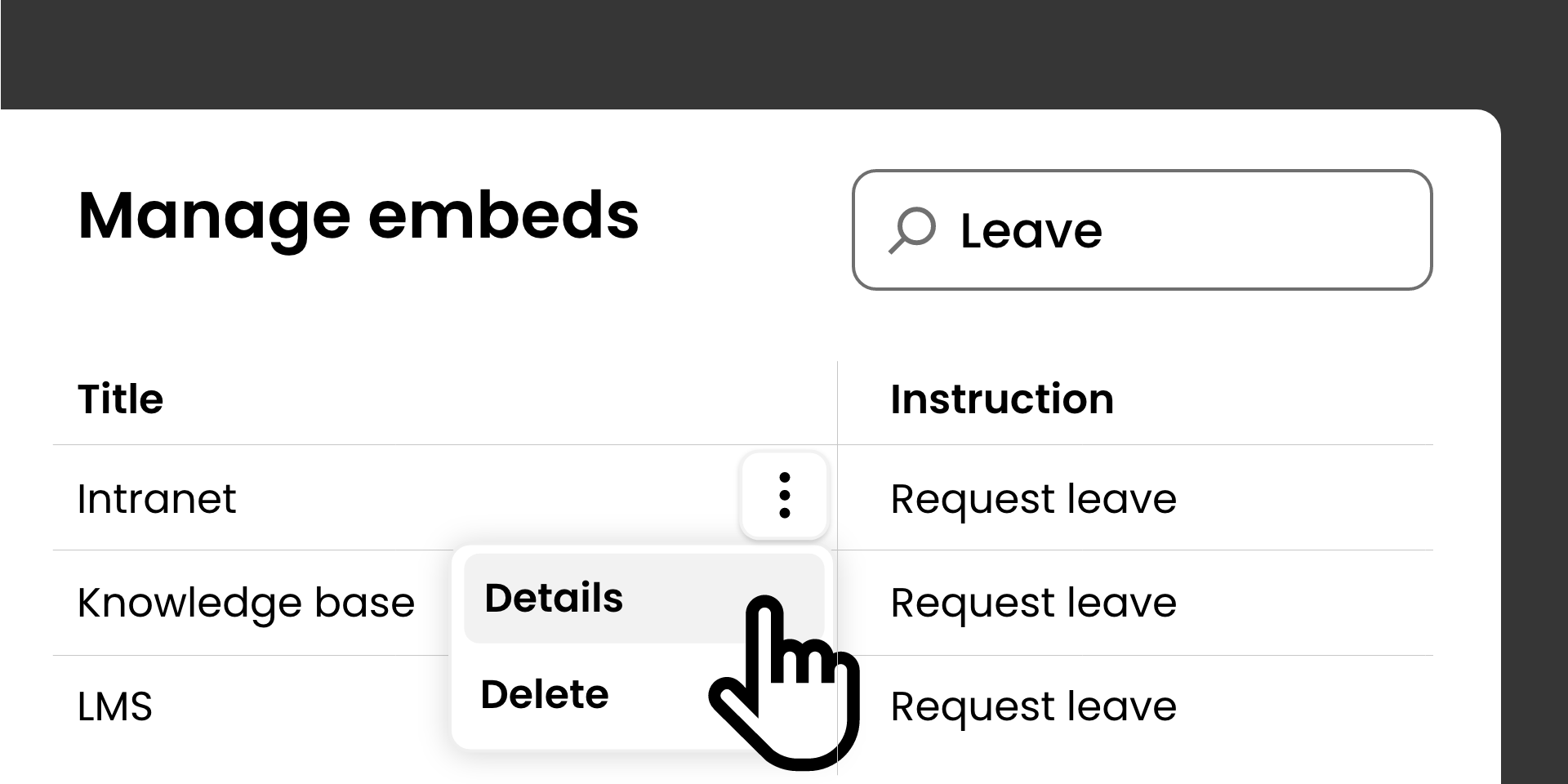
Administrators can now manage embeds with visibility into embed usage and the ability to revoke embeds when needed.
To further expand SelfGuide's security and management capabilities, we have added new functionality that allows administrators to manage embed links.
An embed link provides an alternative way to access instructions without requiring users to authenticate. Previously, once an embed link was created, there was no way to revoke access if the link was no longer needed or had been shared accidentally.
With this release, admins can:
When a revoked embed link is opened, users will see a message stating that the instruction is unavailable, as if it never existed. The instruction is no longer accessible via that embed link.
Previously, the SelfGuide Recorder was required to add instruction steps. However, this is not always possible or practical, for example when creating instructions for:
For these types of instructions, you had to take screenshots or photos and then create a recording of them using the SelfGuide Recorder.
The Instruction Editor has been expanded so that images can now be added directly as an instruction step from the browser.
This functionality was previously available as a preview and is now available to all customers.
Several improvements have been made to how images are displayed in both the Instruction Editor and the Instruction Viewer.
By reducing unnecessary image reloads, the user experience is smoother and the interface is more responsive. These changes also reduce visual artifacts, such as flickering images while editing and viewing instructions.


